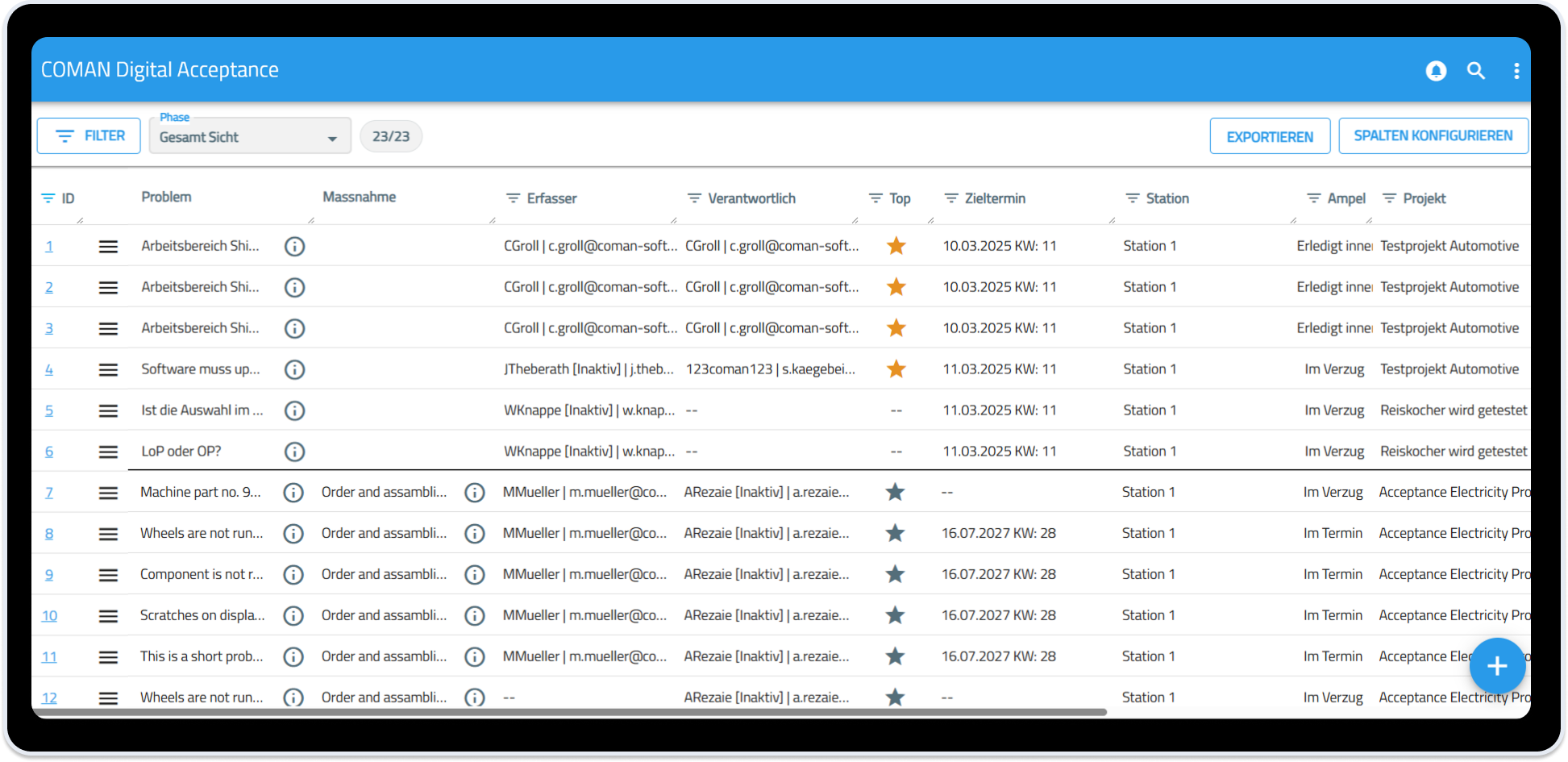




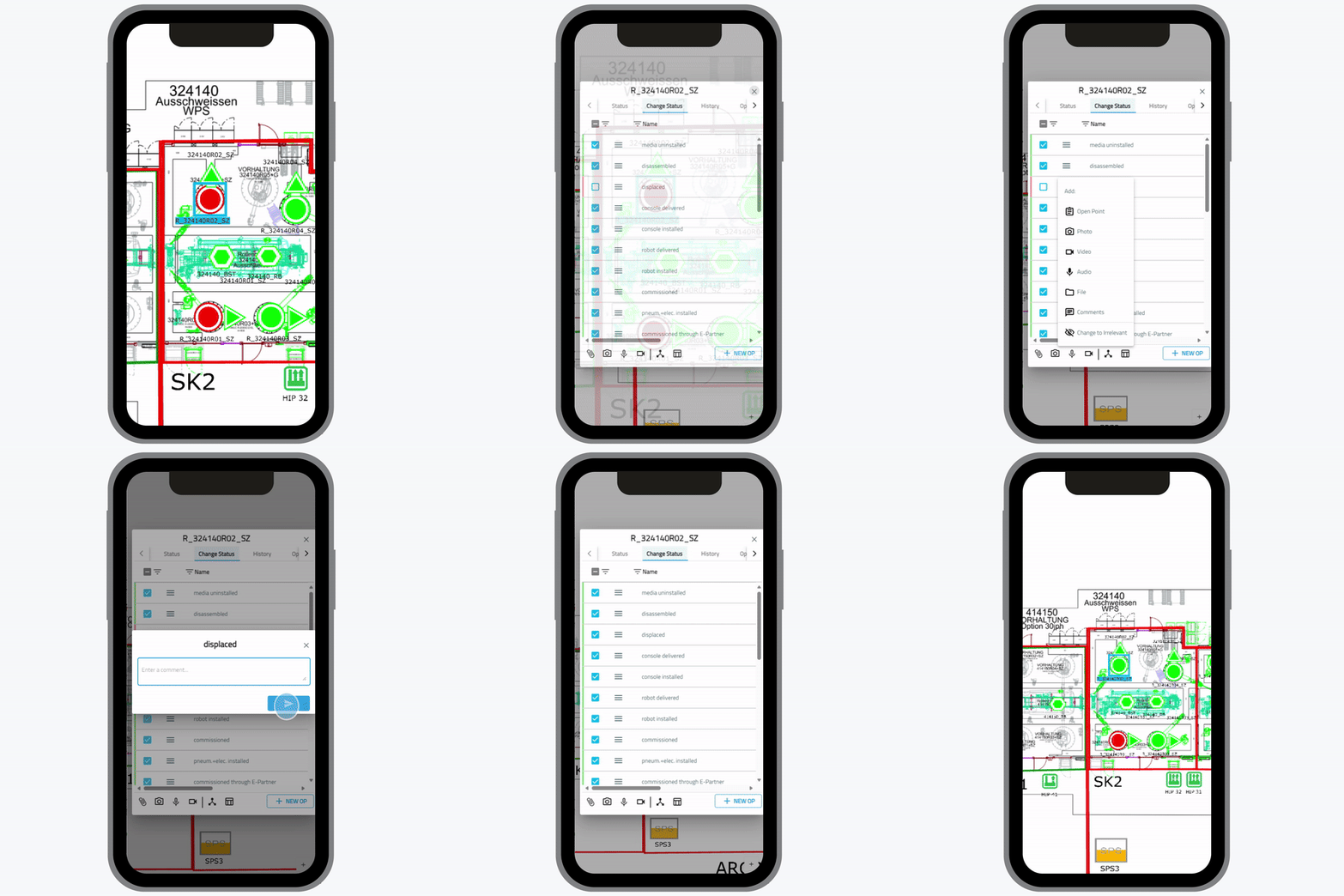
Streamline your buy-off process with a professional acceptance application!
The buy-off application COMAN Digital Acceptance streamlines the approval process, saves time and resources, and ensures that all stakeholders are on the same page before moving forward with a project.
COMAN customers manage to reduce their approval process times by 80 percent in average.
Digital Acceptance with COMAN
Clear. Fast. Audit-ready
Digital Acceptance is a seamless part of the COMAN ecosystem and extends COMAN Manager and COMAN Mobile with a clearly structured, audit‑ready acceptance process — directly within the project, directly at the asset, on site or in production. Instead of PDF checklists, Excel sheets or manual signatures, COMAN provides a digital workflow that documents deviations, clarifies responsibilities and makes decisions fully transparent — whether internally, with suppliers or with customers.

Why manual acceptance slows projects down and increases risk
In many projects, acceptance processes are still handled manually — scattered across Excel spreadsheets, paper forms and photos stored on personal smartphones. Information is fragmented, versions are inconsistent and coordination takes far too long. As a result, errors occur, delays increase, and uncertainty arises about what has actually been accepted and which decisions were made throughout the process.
Unclear Data Situation
Manual lists, different formats and missing standards lead to errors and misunderstandings.
Lack of Transparency
Acceptance status is difficult to track; decisions and rejections are often not properly documented.

High Manual Effort
Duplicate data entry, office rework and the manual consolidation of photos and comments waste time and energy.
Hidden Risks
Defects are overlooked or identified too late, causing unnecessary rework, delays and additional costs.
Difficult Collaboration
Suppliers, internal teams and customers work in separate systems, creating media breaks and communication gaps.
Missing Audit Readiness
Inconsistent versions and missing histories make audits and quality reviews difficult or even impossible.
Inconsistent Decisions
Without clearly defined acceptance criteria, evaluations vary by person or situation, leading to conflicts and uncertainty.
Time Lost Through Follow‑ups
Fragmented information forces teams to constantly search for documents, ask follow‑up questions or clarify issues, slowing projects down unnecessarily.

With COMAN, acceptance becomes a digital, clearly structured and fully traceable part of your project.
How digital acceptance works with COMAN
The benefits at a glance
Faster decisions, clearer documentation
-
Acceptance processes run entirely via COMAN Mobile, directly on site or at the asset
-
Photos, comments and acceptance statuses are automatically assigned
-
No duplicate data entry, no follow‑up work on a laptop
Full transparency that puts you in control
-
Every step is traceable: what was accepted, what was not — and why
-
Responsibilities are clearly defined
-
All acceptance results are visible in the full project context
Secure and reliable documentation
-
Every acceptance is automatically versioned and stored
-
No risk of lost data or outdated or incorrect versions.
Seamlessly integrated into your project
-
Acceptance is logically connected to issues, progress, assets and partners
-
Issues can be created directly when deficiencies are identified
-
Automatic synchronization between COMAN Manager and COMAN Mobile
Ready for the next step?
Experience how simple and secure acceptance processes can be within your project.
Quick overview. Secure documentation.
🎛 Individual acceptance criteria
Define exactly what matters for your project:
- Custom acceptance statuses
- Categories and classifications
- Mandatory fields
- Mandatory photo requirements
This ensures consistent evaluations across teams and projects.
🧩 Roles & permissions
Ideal for suppliers, OEMs, internal teams or external inspectors. Define exactly who is allowed to:
- Perform acceptance
- Approve acceptance
- Export acceptance documentation
🔗 Connected to your project logic
Every acceptance item is linked exactly where it is needed operationally. Acceptance results can be connected to:
- Activities
- Assets
- Trades
- Suppliers
This keeps acceptance fully embedded in your project workflow instead of isolated documentation.
Comparison: Without vs. With Digital Acceptance
| Topic | Without Digital Acceptance | With COMAN Digital Acceptance |
|
Datenqualität |
Manual lists, different formats, high risk of errors
|
Standardized structure, clear evaluations, automatic versioning
|
|
Documentation |
Photos stored on personal smartphones, PDFs sent by email, difficult to access
|
Photos, comments and results are automatically stored at the correct asset
|
|
Transparency |
Often unclear what was accepted — and why
|
Fully traceable history of every decision
|
|
Manual Effort |
Office rework and duplicate data entry
|
Mobile data capture directly on site, no follow‑up work required
|
|
Issues / Defects |
Problems are discovered late or get overlooked
|
Issues are captured digitally and assigned immediately
|
|
Supplier Coordination |
Media breaks, misunderstandings, long coordination cycles
|
Clear roles & approvals, direct collaboration including digital signatures
|
|
Audit Readiness |
Multiple versions, inconsistent data
|
Automatic versioning, clear responsibilities, exportable reports
|
|
Speed |
Slow processes, heavy use of paper
|
Faster, more transparent and digitally secured
|
|
Project Integration |
Acceptance is isolated, no link to assets or schedule
|
Fully integrated into COMAN Manager & Mobile, linked to processes and issues
|
FAQ
Do I need COMAN Manager to use Digital Acceptance?
Can suppliers or external partners perform acceptance tasks?
Yes. Roles and permissions allow you to define exactly who is allowed to inspect or approve — ideal for OEMs, suppliers or external inspectors.
Does Digital Acceptance work offline?
Yes. All acceptance steps can be performed without an internet connection. Data is automatically synchronized once a connection is available.
What happens if an item is not accepted?
An open issue is created automatically — including photos, location, responsible parties and a complete history.
Can I export acceptance results or share them with customers?
Yes. Acceptance reports can be exported with a single click or shared directly within the project with relevant stakeholders.
How flexible is the configuration?
You can define your own categories, mandatory fields, photo requirements and acceptance statuses to match your project needs.